
Many companies want to automate business processes because operational work is increasingly spread across email, Excel, PDF, CRM, ERP, ticketing systems and personal coordination. An order is created in one system, status is requested by email, an approval is given in chat, a document is stored in SharePoint and a monthly report is manually assembled from exports. This works long enough until growth, error rates or coordination effort become too expensive.
Short answer: Business processes can be automated with custom software when they are recurring, data-based and clear enough from a business perspective. A process and ROI check often costs 5,000 to 15,000 EUR. A focused workflow MVP often ranges from 30,000 to 80,000 EUR. Production automation with roles, integrations, monitoring, audit logs and several systems often ranges from 80,000 to 200,000 EUR or more.
The key point: Not every process needs custom software. Not every automation needs AI. And not every manual step is bad. Good process automation identifies which steps should be standardized, which data must be reliable and where humans should deliberately stay in the decision loop.
What does it mean to automate business processes?
Automating business processes means digitizing recurring workflows so that less manual coordination is required. This can involve simple rules, such as automatic notifications or status changes. It can also involve more complex workflows where data from several systems is read, checked, enriched and passed to internal teams, customers or partners.
Typical building blocks include:
- forms and input screens instead of email requests
- status models instead of unclear intermediate states
- roles and approvals instead of informal consent
- automatic notifications and reminders
- interfaces to CRM, ERP, accounting, DMS or ticketing systems
- document uploads, checks and versioning
- dashboards and reports instead of manual Excel consolidation
- audit logs for traceable decisions
Custom software becomes relevant when standard tools only cover parts of the process or several systems need to be connected cleanly. The value rarely lies in one single feature. It emerges when a process becomes more reliable, faster and more transparent from end to end.
How do you identify processes with automation potential?
Good candidates share several characteristics: they happen frequently, follow recognizable rules, use existing data and currently create measurable friction. If a process happens rarely or requires completely individual decisions every time, automation often does not pay off.
Warning signs include:
- the same data is maintained in several systems
- teams regularly ask for the same status
- approvals happen through email, chat or verbal coordination
- Excel sheets have become shadow databases
- reports are manually assembled from exports
- errors come from copy-and-paste or outdated document versions
- customers or partners wait for information that already exists internally
- individual employees are the only people who know how a workflow works
- growth creates more coordination instead of more throughput
The strongest business case often appears where many small manual steps accumulate. A manual status email may take only three minutes. With hundreds of cases per month, that becomes a real cost block.
Examples of processes that are well suited for automation
Proposal and approval workflows
Many B2B companies create proposals from recurring modules, pricing logic, customer data and internal approvals. Automation can help by pulling data from CRM and product catalog, suggesting proposal modules, flagging risks and making approvals traceable.
The final commercial decision does not have to be automated. Preparation, data checks, document generation, versioning and escalation can be automated.
Customer onboarding
Onboarding processes often consist of forms, documents, master data, contacts, permissions and follow-up questions. A custom web app or customer portal can bundle checklists, uploads, deadlines, status and internal tasks. This reduces email ping-pong and makes visible where a case is blocked.
Document and contract review
Not every review can be decided automatically. But software can collect documents in a structured way, check mandatory fields, compare versions, flag deadlines and route responsibilities. In AI-supported workflows, an initial analysis can help humans review faster.
CRM and ERP data synchronization
Many companies lose time because CRM, ERP, accounting, warehouse or project management have different data states. An integration layer can synchronize records, make conflicts visible, check required fields and automatically pass on status changes.
Support and service workflows
Support tickets can be categorized, prioritized, summarized or routed to the right team automatically. For recurring questions, knowledge bases, customer portals or AI-supported answer drafts can help. Critical cases should still be reviewed by humans.
Reporting and management updates
Many reports come from several data sources and require manual explanation. Automation can load, clean, aggregate and provide data regularly as a dashboard or report. Decisions become faster because teams do not first have to consolidate manually at month end.
Scheduling, field service and operational planning
In logistics, service, construction, real estate, industry or technical field operations, many planning processes arise: Who goes where? Which parts are needed? Which deadline applies? Which feedback is missing? Custom software can connect planning, status, mobile feedback and evidence in one workflow.
Standard software, workflow tool or custom software?
Before building custom software, companies should check whether existing tools are enough. The right answer depends on process specificity, integration depth and long-term value.
| Option | Suitable when | Limits |
|---|---|---|
| Standard software | the process is close to market standard | customization, integrations and special roles can be limited |
| Workflow tool | rules, approvals and notifications are simple | complex data models and custom interfaces become difficult |
| Low-code | internal MVPs and prototypes should start quickly | long-term maintainability and special cases must be checked |
| Custom software | the process is specific, data-heavy or strategically important | higher initial effort, requires product ownership |
Custom software is not automatically better. It is better when the workflow is important enough, specific enough and frequent enough to justify the investment. It is especially useful when CRM, ERP, documents, customer portal and internal tools need to work together.
ROI: How do you calculate whether automation pays off?
ROI should be calculated before implementation, even if the first version is only an estimate. The goal is not perfect financial precision. The goal is to understand which process improvement creates enough value.
A simple formula:
monthly value = number of cases x saved minutes x hourly cost / 60
Example:
| Assumption | Value |
|---|---|
| Cases per month | 600 |
| Current manual effort per case | 15 minutes |
| Reduction through automation | 50 percent |
| Internal hourly cost | 65 EUR |
| Monthly saving | 4,875 EUR |
| Annual saving | 58,500 EUR |
This only covers time savings. Additional benefits can be just as important:
- fewer errors and rework
- faster customer response times
- better data quality
- transparent responsibilities
- less dependency on individual employees
- better compliance and auditability
- scalable operations without proportional headcount growth
If an MVP costs 60,000 EUR and creates 58,500 EUR of annual time savings, the direct payback is roughly one year. If it also reduces errors, accelerates sales or improves customer retention, the economic picture becomes stronger.
What does process automation cost?
Cost depends on scope, data quality, system landscape, security requirements and operational expectations.
| Project type | Typical scope | Realistic range |
|---|---|---|
| Process and ROI check | process mapping, data sources, risks, MVP scope | 5,000 to 15,000 EUR |
| Workflow prototype | clickable flow, first logic, technical risk check | 10,000 to 30,000 EUR |
| Workflow MVP | roles, forms, status model, one or two integrations, admin | 30,000 to 80,000 EUR |
| Production automation | several systems, audit logs, monitoring, permissions, QA | 80,000 to 200,000 EUR |
| Automation platform | multiple processes, complex rights, reporting, scaling | from 200,000 EUR |
The biggest cost drivers are usually not the visible forms, but data model, integrations, edge cases, permissions, monitoring and error handling. A workflow is only truly automated when it also behaves reliably outside the ideal case.
Architecture: What a robust automation system needs
Good process automation is not a fragile script between two systems. Production workflows need a technical structure that can handle data, errors and responsibilities.
Process model and states
Every automation needs a clear model: What is a case? Which states can it have? Who can move it forward? Which data is required in which step? Without this model, automation becomes a collection of special cases.
Backend and integrations
A strong backend is often the core. It connects CRM, ERP, DMS, ticketing or internal databases, checks permissions and provides stable APIs. Integrations must handle timeouts, retries, duplicate records and inconsistent data.
Roles and permissions
Automation often changes responsibilities. Therefore, it must be clear who may see, edit, approve or reject what. Permissions should be checked in the backend, not only hidden in the user interface.
Audit logs and traceability
Especially with approvals, contracts, customer data or financial processes, it must remain traceable who did what and when. Audit logs are not bureaucracy. They protect the company when questions arise later.
Monitoring and error handling
Automation that fails silently is worse than manual work. Production workflows need error tracking, alerts, queues, retry logic and a clear fallback path for cases that cannot be processed automatically.
MVP roadmap for process automation
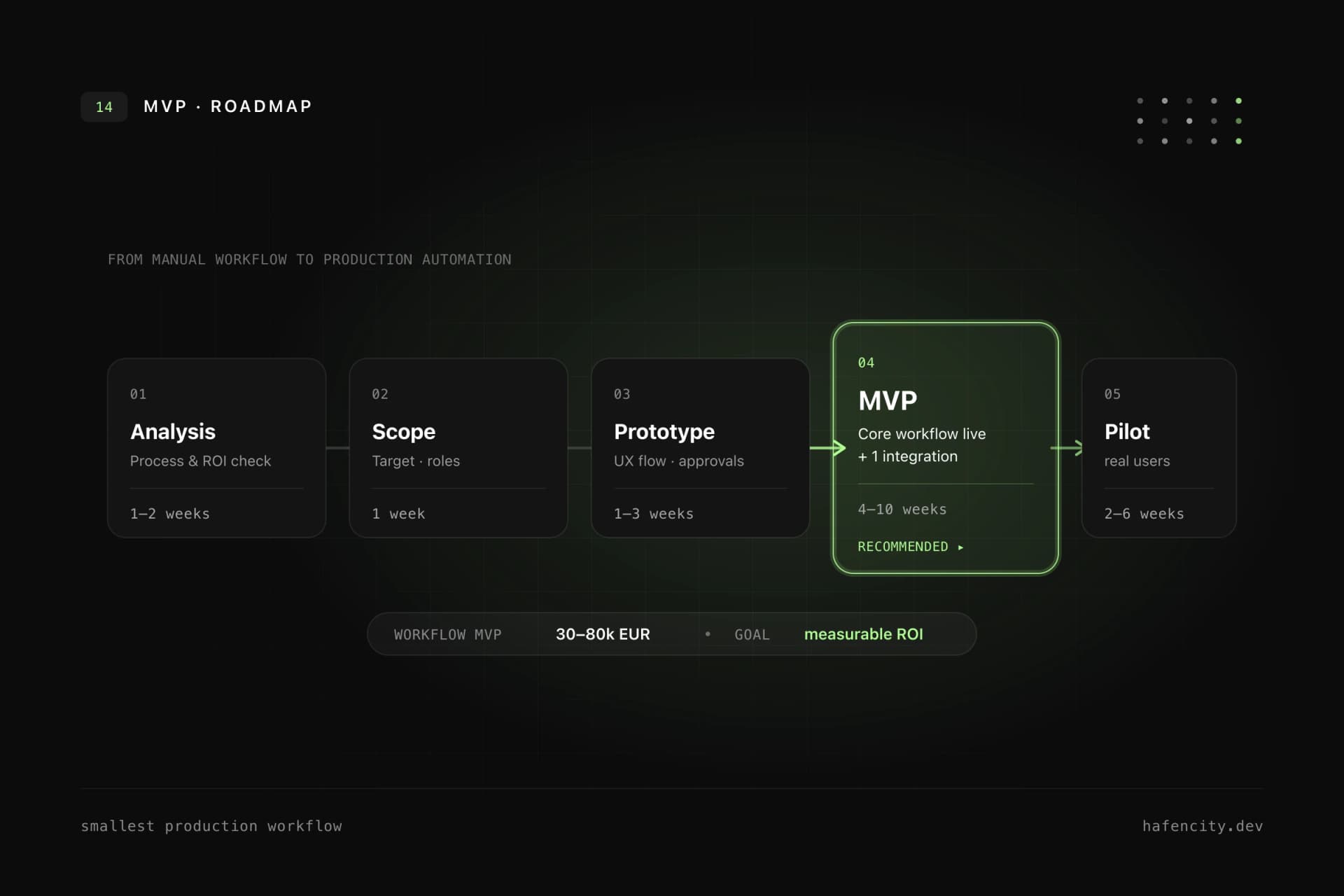
The first automation project should not try to redesign the whole company. A focused MVP is better:
- Select one high-value process.
- Measure current volume, effort and error rates.
- Define the target state and required roles.
- Clarify data sources and integrations.
- Build a small production workflow.
- Pilot it with real cases.
- Measure time savings, errors and user acceptance.
- Extend only after the workflow proves value.
Typical timeline:
| Phase | Duration | Result |
|---|---|---|
| Discovery | 1 to 2 weeks | process map, ROI hypothesis, data sources, risks |
| UX and workflow design | 1 to 3 weeks | screens, roles, states, edge cases |
| MVP development | 4 to 10 weeks | workflow, backend, integrations, admin |
| Pilot | 2 to 6 weeks | real cases, feedback, measurement |
| Hardening and rollout | 2 to 6 weeks | monitoring, QA, documentation, training |
The most important metric is not "automation rate" alone. A workflow that automates 80 percent but creates chaos in the remaining 20 percent may be worse than a workflow that automates 40 percent reliably and makes the rest transparent.
Where AI helps and where it does not
AI can make process automation stronger, but it should not be the starting point for every workflow. AI is useful when language, documents or unstructured information are involved.
Good AI-supported steps:
- summarize tickets or emails
- classify requests
- extract data from documents
- suggest answers or proposal modules
- compare long texts
- search internal knowledge
- flag risks or missing information
Less suitable for full automation:
- legally binding decisions
- high-risk HR decisions
- financial approvals without human review
- unclear processes with bad data
- actions without audit log and rollback
AI should usually start as assistance. It prepares, structures and suggests. Humans decide in critical steps. More autonomy can follow later when quality, risk and governance are measurable.
Common mistakes in process automation
The first mistake is automating a process that no one has understood. If roles, states and data quality are unclear, software will only make the confusion faster.
The second mistake is too much scope. A company-wide automation platform sounds attractive, but the first project should prove value in one process. Otherwise teams spend months discussing edge cases without improving daily work.
The third mistake is ignoring operations. Automations need monitoring, ownership, maintenance, documentation and change management. Processes change. Systems change. People leave. The software must survive that.
The fourth mistake is treating integrations as a detail. Interfaces are often where the real effort sits: old APIs, missing fields, inconsistent IDs, rate limits, permissions and undocumented behavior.
Checklist: Is your process suitable?
Use these questions before starting:
- Does the process occur at least weekly, ideally daily?
- Is the current effort measurable?
- Are the process steps known?
- Are input and output data clear?
- Are the required systems accessible through APIs or exports?
- Are responsibilities and approvals known?
- Can errors be recognized and corrected?
- Is there a clear owner for the process?
- Is the expected value higher than the implementation and operating cost?
- Can the first version be limited to one workflow?
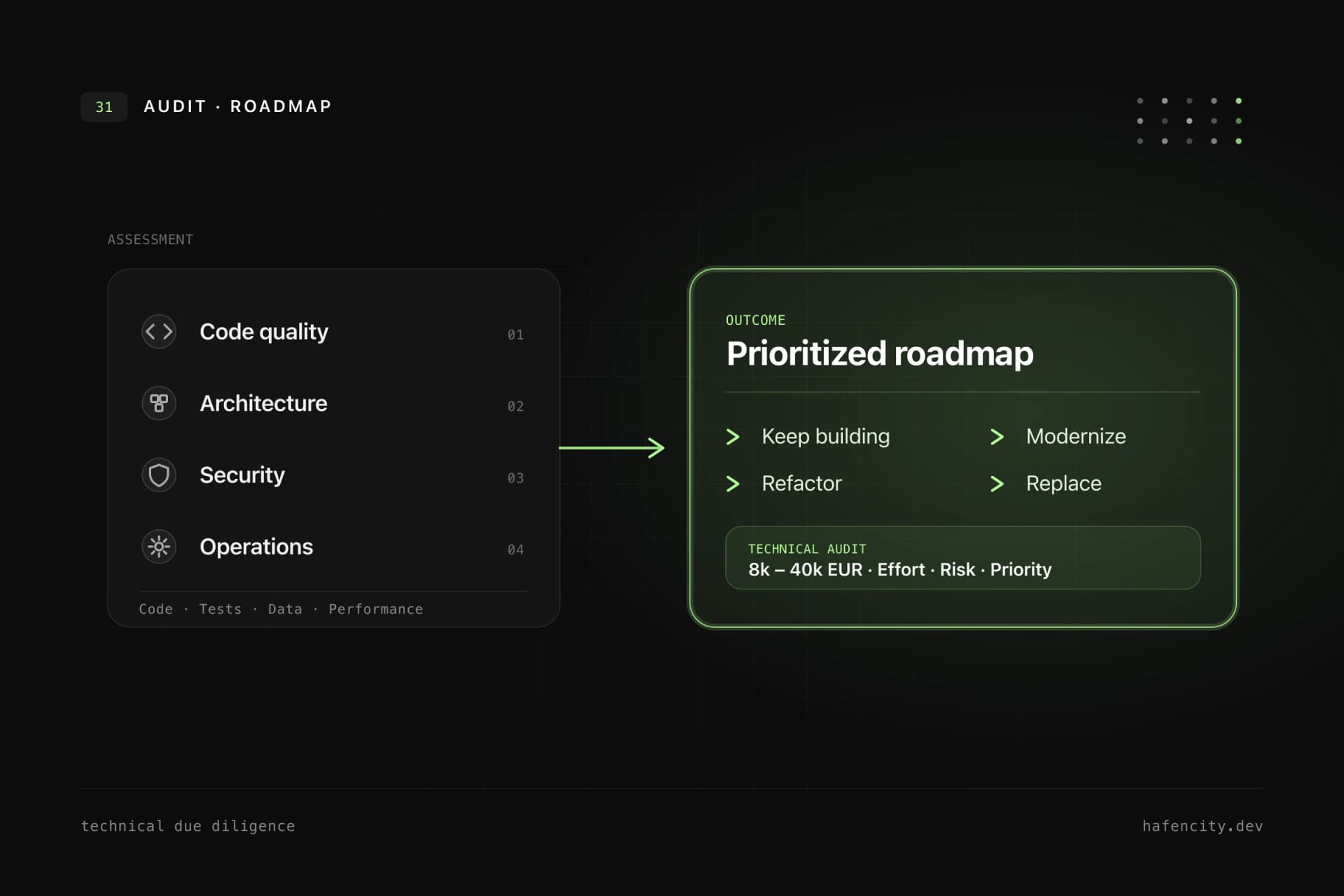
If several answers are unclear, start with a process and ROI check before implementation.
How hafencity.dev builds process automation
We build process automation as custom software, not as a collection of fragile scripts. Depending on the project, this includes discovery, UX, backend development, integrations, web app development, monitoring and AI-supported steps.
The best first step is a focused process check: Which workflow creates the highest recurring cost? Which data already exists? Which systems need to be connected? Which part can be automated in a small but productive MVP? For a concrete assessment, you can start through the contact page.
FAQ
What does it cost to automate a business process?
A process and ROI check often costs 5,000 to 15,000 EUR. A workflow MVP often ranges from 30,000 to 80,000 EUR. Production automation with integrations, roles, audit logs and monitoring often ranges from 80,000 to 200,000 EUR or more.
Which processes are best suited?
Recurring, data-based processes with clear steps are best suited: approvals, onboarding, reporting, document workflows, CRM/ERP synchronization, support routing or operational planning.
Do we need AI for process automation?
Not necessarily. Many automations work better with rules, APIs and clear data models. AI becomes useful when language, documents, classification, summaries or knowledge search are involved.
Is standard software enough?
Often yes, if the process is close to market standard. Custom software becomes relevant when processes, roles, integrations or data models are specific and strategically important.
How do we start without overbuilding?
Start with one process, one user group, clear metrics and a small production MVP. Do not automate every edge case at once. Measure value first, then extend.