
Operational work is now spread across email, Excel, PDF, CRM, ERP and ticketing systems: an order is created, a status requested by email, an approval given in chat, the monthly report assembled by hand from exports. This works for a while — until growth, error rates or coordination effort become too expensive. According to Bitkom, 53 percent of German companies struggle with digitalization, while McKinsey estimates that current technology could automate activities absorbing 60 to 70 percent of working time.
The key point: not every process needs custom software, not every automation needs AI, and not every manual step is bad. Good process automation identifies which steps should be standardized, which data must be reliable and where humans should deliberately stay in the decision loop.
Which processes actually pay off
Good automation candidates occur frequently, follow recognizable rules, use existing data and create measurable friction today. If a process happens rarely or requires a fully individual decision each time, the effort rarely pays off. The strongest business case appears where many small manual steps accumulate: a status email takes three minutes — across hundreds of cases per month, that becomes a real cost block.
Typical warning signs that point to automation potential:
- The same data is maintained in several systems.
- Teams regularly ask for the same status.
- Approvals run through email, chat or verbal coordination.
- Excel sheets have become shadow databases.
- Reports are assembled by hand from exports.
- Single employees are the only ones who know how a workflow runs.
Concrete examples from practice are proposal and approval workflows, customer onboarding, document and contract review, CRM and ERP data synchronization, support triage, and scheduling or field-service planning. The final commercial decision stays with a human — what gets automated is preparation, data checks, document generation, versioning and escalation.
Standard software, workflow tool or custom software?
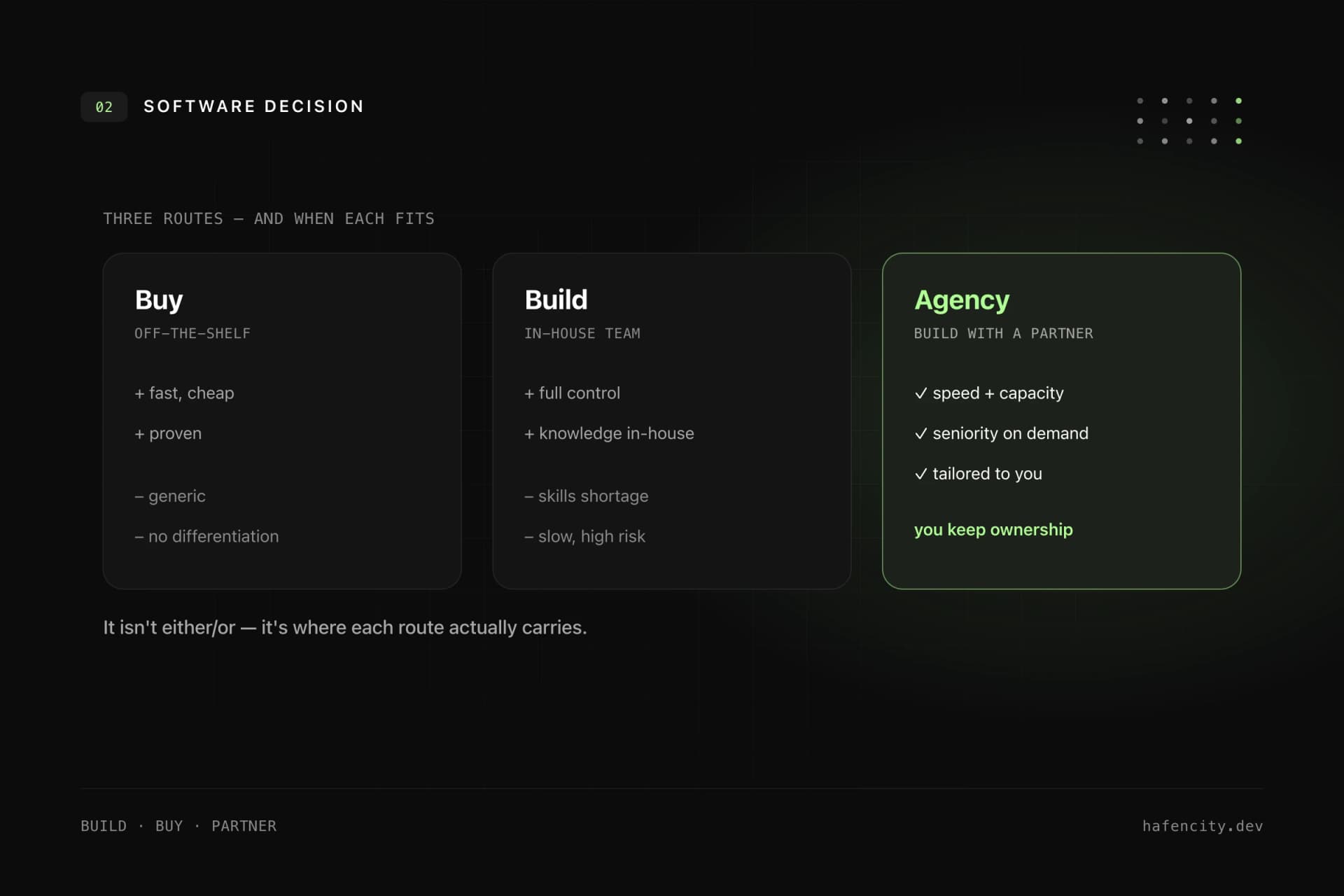
The best solution is not automatically custom development — it depends on how specific and integration-heavy the process is. Many workflows map well to existing tools. Custom software becomes interesting when standard software keeps producing workarounds or the process differentiates the business.
| Situation | Sensible approach |
|---|---|
| Standard process with clear best practices | Standard software |
| Suitable tool with small gaps | Configuration or customizing |
| Simple rules, approvals, notifications | Workflow or no-code tool |
| Several systems and media breaks | Integration solution |
| Own core process with heavy manual work | Custom software |
| Regulated data, complex roles, audit duties | review a custom architecture |
A hybrid approach is often best: CRM, accounting and project management stay standard software, while the custom solution only covers the process that is especially important or connects several systems. When the move to a custom solution is worth it is covered in Custom Software in Hamburg: When Standard Software Is No Longer Enough.
ROI: when automation pays off
A solid ROI estimate needs only three figures: frequency, time saved and internal hourly cost. It does not have to be perfect — it only has to show whether the process is big enough to carry the effort.
monthly value = cases/month × minutes saved × hourly cost / 60
Example: a team handles 600 cases per month, losing 15 minutes each to follow-ups, data reconciliation and status updates. If automation saves 50 percent of that, you free up roughly 75 hours per month. At a 65 EUR internal fully loaded cost, that is about 4,875 EUR per month or 58,500 EUR per year.
That is only the time value. On top come fewer errors and rework, faster cycle times, better data quality, less dependency on individuals and better traceability during audits. The counter-calculation must be honest: development, operations and further development cost money too. Automation pays off when the recurring benefit stays larger than these costs — and the process is strategically important enough. Why a too-cheap solution quickly tips that calculation is covered in Why Cheap Software Often Becomes Expensive.
What process automation costs
The biggest cost drivers are integrations, permissions, data quality, edge cases, migration and operations — not the visible interface. The ranges below are planning figures for professional B2B custom software. Small no-code automations can be far cheaper, large platforms with many systems far more expensive.
| Project type | Typical scope | Realistic range |
|---|---|---|
| Process and ROI check | process mapping, data sources, risks, business case | 5,000–15,000 EUR |
| Clickable workflow prototype | UX flows, roles, demo data, feasibility | 10,000–25,000 EUR |
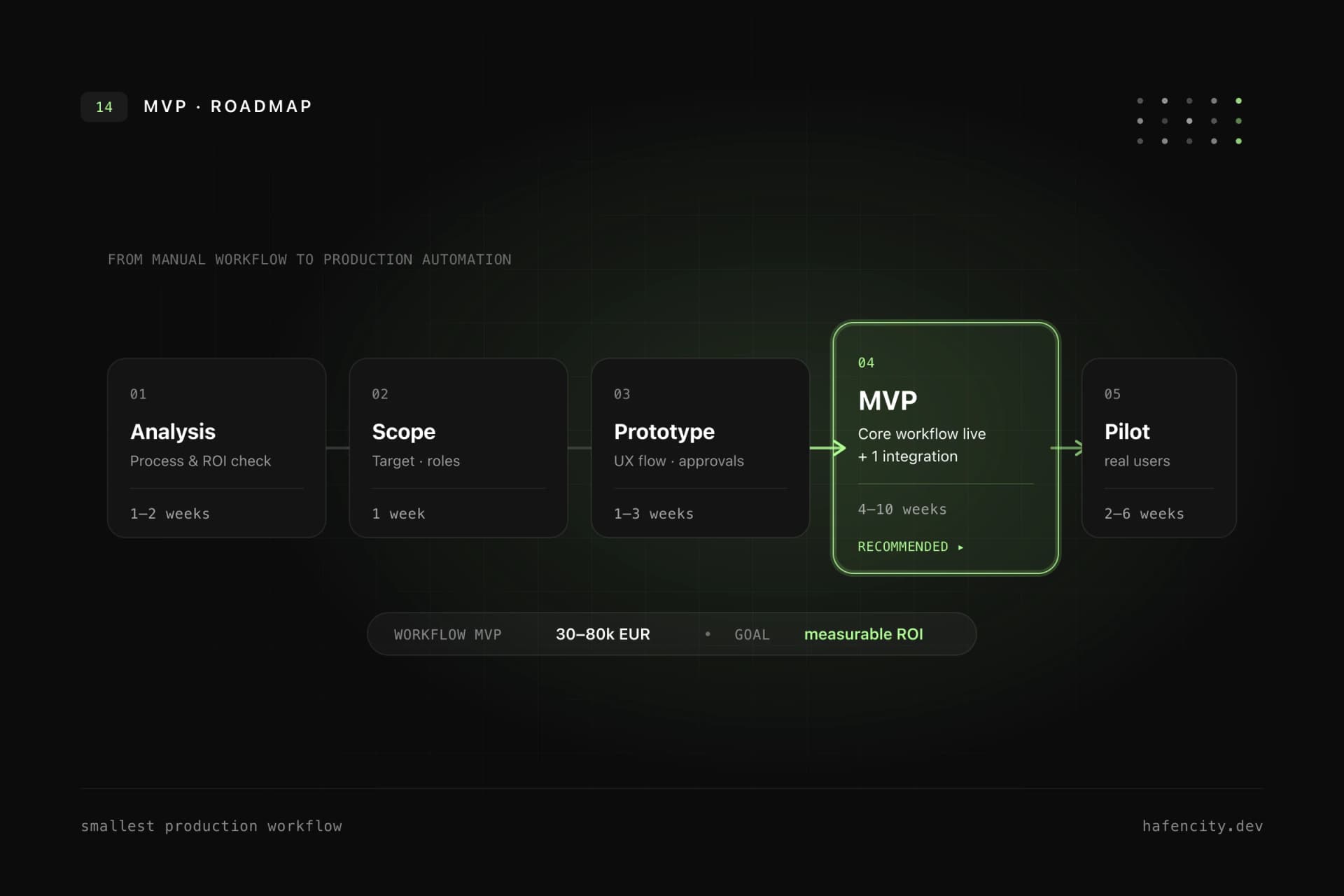
| Workflow MVP | core process, roles, data model, one integration | 30,000–80,000 EUR |
| Production automation | several integrations, monitoring, audit log, tests | 80,000–200,000 EUR |
| Automation platform | multiple workflows, tenants, complex migration | from 200,000 EUR |
Starting with a focused MVP has a concrete advantage: you invest first where the business case is clearest and only scale once the workflow has proven value. How cost, duration and architecture of such a solution come together is described in Building a Web App: Cost, Duration and Architecture.
Classic rules or AI?
AI is useful when language, documents and unstructured information are involved — it is redundant when the process is clearly rule-based. That matches reality: McKinsey attributes the automation surge largely to generative AI understanding natural language, which makes up roughly a quarter of working time. Clear status changes, mandatory-field checks or API synchronization need no AI.
| Task | Better classic | AI can help |
|---|---|---|
| Move status from A to B | yes | rarely needed |
| Check mandatory fields | yes | rarely needed |
| Synchronize data from APIs | yes | no |
| Classify emails | sometimes | yes |
| Summarize long documents | no | yes |
| Prepare answer drafts | no | yes |
| Grant final approval | mostly human | only as preparation |
The robust approach is combined: classic software controls data, permissions, workflows and integrations, while AI supports individual steps such as document analysis or summarization. That keeps the process controllable. How we embed AI cleanly into existing workflows is shown in our AI integration.
From MVP to production automation
A good start is not "automate everything" but one valuable process with a clear metric. The MVP need not solve every edge case — but it must be built so that real data, real users, permissions, logging and further development are possible.
| Phase | Duration | Result |
|---|---|---|
| Process analysis | 1–2 weeks | current state, bottlenecks, cost, data sources |
| Target picture and MVP scope | 1 week | core workflow, roles, non-goals, success criteria |
| UX and prototype | 1–3 weeks | clickable flow, states, approvals, admin view |
| Development | 4–10 weeks | backend, interface, integration, notifications |
| Pilot | 2–6 weeks | real users, measurement, error analysis, adjustment |
| Operations and scale-up | ongoing | monitoring, support, new automation steps |
The most common mistake is pouring an unchanged bad process into software. The second is too much scope in version 1. The third is testing integrations too late — that is usually where the real effort sits. A solid architecture cleanly separates frontend, business logic, integration layer, workflow states, notification, audit log and monitoring. Exactly these layers are what we build in backend development.
Next steps
Three questions settle whether a project pays off faster than any feature list:
- Volume: does the process occur at least weekly and create measurable friction?
- Data: are the leading systems reachable and is the data quality realistic?
- Owner: is there a responsible person for the process after launch?
If you can answer these, a focused process and ROI check is the right first step — small, fast, with a clear number. Take a look at our software development or request a scope check for your most important workflow via the contact page.