
Accessibility is no longer a side topic for websites and apps; for many companies it is now a legal and commercial factor. Since 28 June 2025 the German Accessibility Act (BFSG) has been in force – Germany's transposition of the European Accessibility Act. And the need to act is real: according to the WebAIM Million 2026, 95.9% of the one million most-visited home pages failed automated WCAG tests, with an average of 56 detectable errors per page.
This article is not legal advice. It does show how companies can approach the topic pragmatically and professionally: with a clear read on BFSG obligations, WCAG 2.2 as the technical benchmark, proper implementation instead of shortcuts, and ongoing quality assurance.
What the BFSG has required since June 2025
The BFSG turns the European Accessibility Act into concrete obligations for digital services placed on the market from 28 June 2025. The goal is that consumers can use certain products and services without help from others – regardless of vision, hearing, motor or cognitive impairments.
For digital teams, the relevant services are those delivered through websites or apps: e-commerce and online shops, banking and payment services, telecoms, passenger transport and ticketing, and e-books. Scope covers not just the obvious purchase steps but the whole path from discovery through login to completion. Supervision sits with the federal states' market surveillance authorities; breaches can carry fines of up to €100,000 each. A measured overview of the requirements comes from the Munich Chamber of Commerce (IHK).
Who is affected – and who is exempt
Not every website is automatically in scope – but far more companies are than many assume. The deciding factors are the offer, the sector and company size. If you run consumer services like a shop, booking, login or banking, you usually fall under the law. Exempt are microenterprises that provide services – defined as fewer than 10 employees and at most €2M annual turnover or balance sheet total.
The nuance matters: the microenterprise exemption applies only to services, never to manufactured products. And even where no obligation applies, treating accessibility as a purely legal question is risky. Many measures help all users – clearer forms, better keyboard support, readable contrast and stable layouts feed directly into conversion and support load, as we explain in quality is measurable.
WCAG 2.2 is the technical benchmark
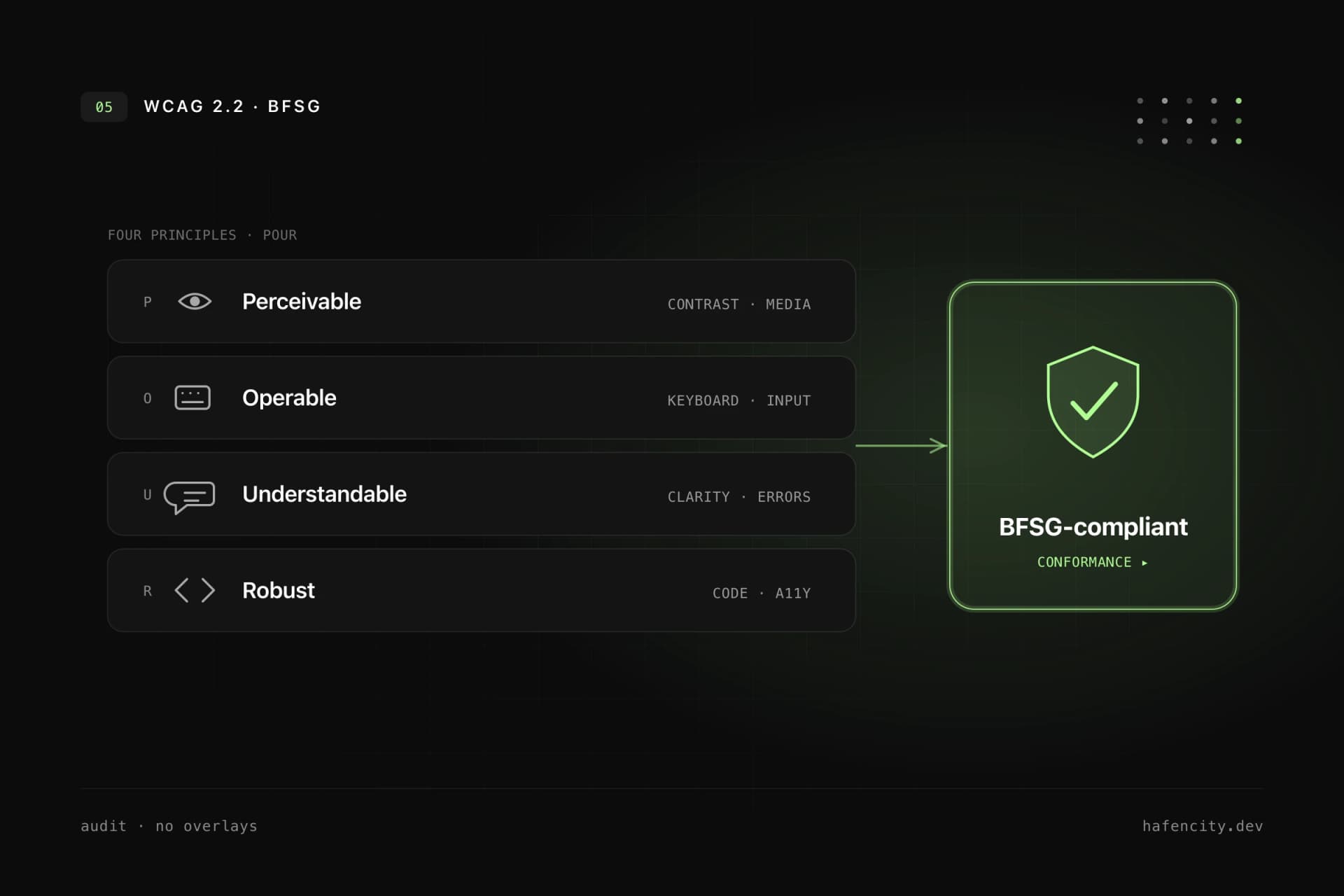
The BFSG states the goal; the Web Content Accessibility Guidelines provide the testable benchmark. WCAG is the international standard for accessible web content and rests on four principles – perceivable, operable, understandable, robust. WCAG 2.2 has been a W3C Recommendation since October 2023, adds nine new success criteria over 2.1, and was confirmed as ISO/IEC 40500:2025 in October 2025.
| WCAG principle | What it means | Typical failure |
|---|---|---|
| Perceivable | content visible, audible or otherwise sensable | low contrast, missing alt text |
| Operable | usable by keyboard, touch, mouse, assistive tech | invisible focus, keyboard traps |
| Understandable | clear content and interaction | unclear errors, missing labels |
| Robust | works with browsers and assistive tech | broken semantics, faulty ARIA roles |
The European harmonised standard EN 301 549 formally still references WCAG 2.1 AA; an update to WCAG 2.2 is in progress. Practical advice: if you are building new or relaunching today, target WCAG 2.2 Level AA directly – it covers the foreseeable requirements and avoids duplicated rework.
Why overlays don't solve the problem
A script that promises accessibility "in one click" does not fix the root causes. An overlay cannot repair a semantically broken HTML structure, replace poor keyboard navigation or turn confusing form errors into good UX. The data is unambiguous: in the WebAIM practitioner survey, 67% of respondents rate overlays as not very or not at all effective – among people with disabilities, 72%.
The legal picture sharpens this: overlays regularly appear in lawsuits, and in 2025 the US Federal Trade Commission finalised a $1M penalty against a prominent overlay vendor for misleading compliance claims. Accessibility is built into the product itself – into information architecture, design system, components, content, forms, and testing with keyboard and screen reader. An overlay can at most add to this, never replace implementation. Which technical measures actually hold up we explore in implementing accessibility in companies.
From audit to lasting accessibility
A robust audit combines automated tests with manual review – and ends in components, not a PDF. Tools detect many issues such as missing labels, contrast problems or broken ARIA roles. They cannot reliably judge whether a user journey is logical, whether copy is understandable or whether a complex checkout works with a screen reader.
A professional process covers seven steps:
- Page selection: key templates, forms, checkout or booking flows.
- Automated analysis: quick detection of recurring technical issues.
- Manual review: keyboard, screen reader, focus order, semantics.
- Prioritisation: blockers first, cosmetic details later.
- Implementation: fix components, design system and content.
- Regression tests: make sure problems do not return.
- Documentation: clear actions and remaining risks.
So that accessibility is not reinvented page by page, it belongs in the design system: buttons, inputs, modals, navigation, tabs and tables need accessible patterns and documentation. Then every new feature benefits from tested components – accessibility becomes a default, not rework.
Next steps
Three questions quickly clarify how urgent your need to act is:
- Exposure: Do you offer consumer services like a shop, booking, login or banking – and does the microenterprise exemption really apply?
- State: Are keyboard support, focus, contrast, form labels and screen reader announcements tested today?
- Process: Is there a design system and a test workflow so that new content stays accessible?
Unsure where your website or app stands? We start with a compact accessibility audit and a prioritised action list – then your team implements the fixes or we handle the technical corrections. Book an intro call to get started.