
"A Flutter app is up to 50% cheaper." You read that sentence everywhere — and as a blanket claim it doesn't hold in 2026. The saving is real, but it's a range, not a fixed price, and it depends on how much platform-specific code your product ultimately needs. If you're planning a budget seriously, you don't want a marketing number — you want honest math.
Flutter is long past being a niche framework: according to Statista, around 46% of cross-platform developers worldwide recently used Flutter — more than any other framework. With Flutter 3.44 and Dart 3.12 (Google I/O 2026), the foundation is mature and stable. So let's look at the numbers that actually matter.
What really sets the price
The framework rarely decides the budget — the scope of features does. Whether you build in Flutter, React Native or native shifts total cost by a factor; the bulk of the bill comes from the requirements. Four drivers dominate almost every project:
- Feature scope and logic: Every feature is effort. A login is cheap; a realtime booking system with payment processing is not.
- Integrations: Payment providers, ERP/CRM, third-party APIs and push services cost connection and testing effort.
- Design depth: A clean standard UI is quick to build; a bespoke design system with animations and accessibility is its own discipline.
- Backend and data: Authentication, data model, scaling and privacy often weigh more than the frontend.
In the end the price is simply effort times hourly rate. In the DACH region, experienced agencies sit at roughly €120–180 per hour according to industry overviews — specialist fields like mobile, AI or cloud toward the upper end. That's exactly why Flutter acts as a lever: it doesn't lower the hourly rate, it lowers the number of hours.
Why Flutter builds more cheaply
The real saving lives in a single codebase for iOS and Android. Instead of maintaining two separate native apps, your team writes the code once. That doesn't halve every line item — platform-specific tweaks, testing and store releases remain — but it cuts the biggest block: implementing the actual features.
Three mechanisms drive the saving:
- Shared codebase: Build a feature once instead of twice — the biggest efficiency gain.
- Hot Reload: Changes appear in real time; iterations and reviews get much faster.
- Mature tooling: A large widget library and the Impeller renderer (default on Android since Flutter 3.44) deliver consistent UI across platforms.
The practical effect: a smaller team can carry the same product. For the architecture comparison see Flutter vs. React Native vs. Native; how we build cross-platform is shown in our cross-platform development.
What a Flutter app costs in 2026
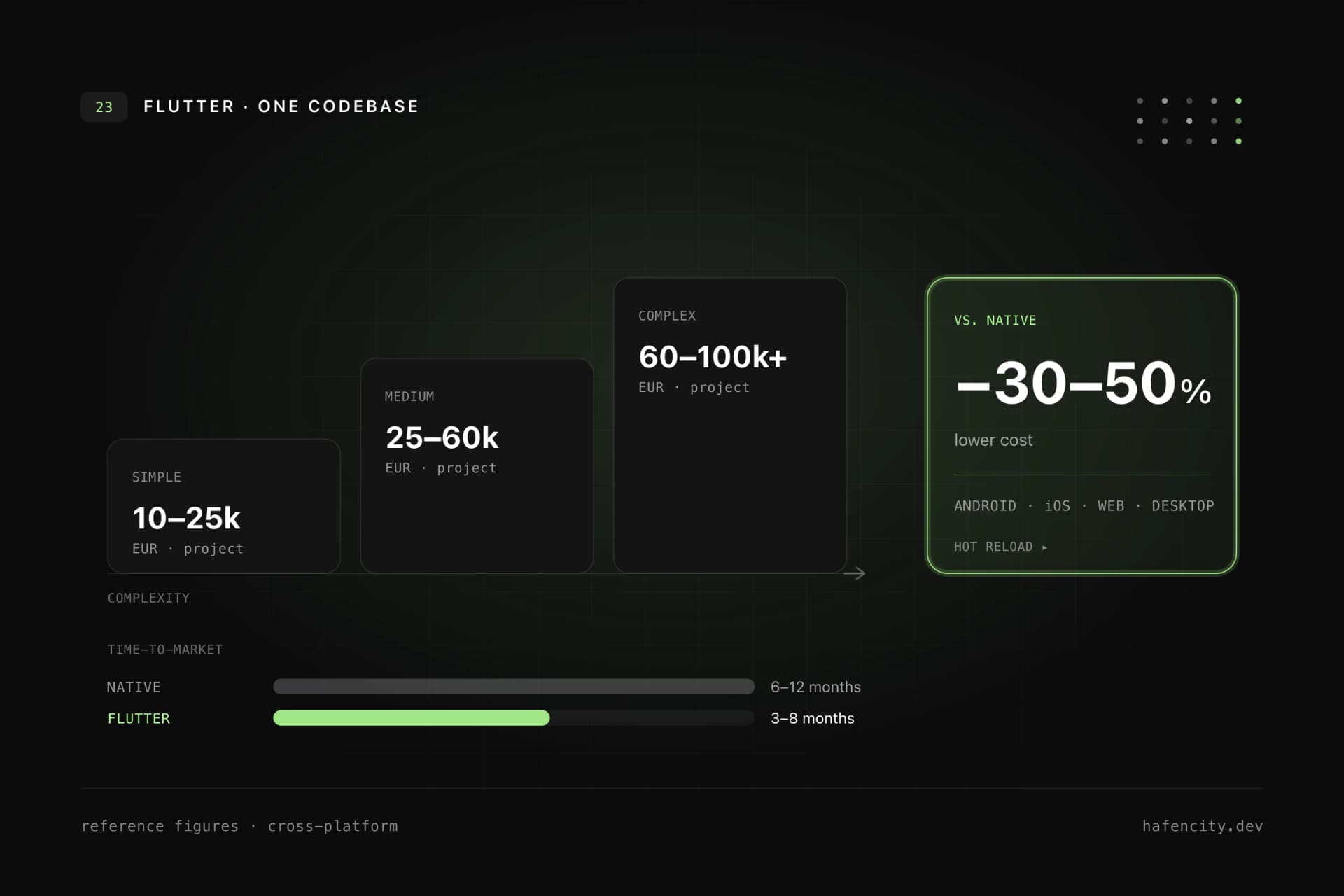
There is no fixed price — but there are dependable ranges. The guide values below are for a professionally built app at a DACH agency, including design, development and testing. They are orientation, not a quote.
| Tier | Example | Effort | Cost range | Time-to-market |
|---|---|---|---|---|
| Simple | MVP, basic UI, few screens | low | €15k–40k | 1–3 months |
| Standard | Business app with auth, backend, integrations | medium | €40k–100k | 3–6 months |
| Complex | Enterprise, realtime, many systems | high | €100k–250k + | 6–12 months |
Compared to parallel native development, these values run roughly 30–40% lower for standard apps (industry data 2026). One caveat: the entry price says little about the final total — a tightly costed MVP that has to be rebuilt later often ends up more expensive than a cleanly planned start. We dig into why in Why cheap software gets expensive.
The bill doesn't end at launch
An app is never "finished" — total cost accrues across the lifecycle. OS updates, new store requirements from Apple and Google, security patches and desired features come up continuously. A dependable rule of thumb: 15–25% of the original development cost per year for maintenance and ongoing development (industry benchmark).
Here too the shared codebase pays off: a bug fix or a new feature is implemented once instead of twice — which extends the saving across the whole operating life. Budgeting for running costs from the start avoids the most expensive surprise: a standstill because the maintenance budget ran out. How to cost operations and ongoing development cleanly is covered in Software maintenance and ongoing development.
When Flutter doesn't pay off
The codebase advantage shrinks as soon as a lot of platform-specific code is needed. If an app leans heavily on native hardware — complex Bluetooth peripherals, AR/VR, deep OS integrations or specialised performance paths — that part has to be built per platform anyway. The saving then drops from 30–40% to more like 10–15%, and the decision deserves an honest trade-off.
That's not an argument against Flutter but for a sober requirements analysis. For the vast majority of business, service and content apps, the shared codebase stays the clearly cheaper path. Only where the product is hardware-near at its core is it worth looking at native or hybrid approaches.
Next steps
Three questions get you to a dependable estimate faster than any online calculator:
- Feature scope: What does the first version truly need to do — and what can wait for wave two?
- Integrations: Which payment, backend and third-party systems must be connected?
- Platform needs: Do you need deep hardware integrations, or is standard functionality on iOS and Android enough?
Once those three points are clear, a budget can be narrowed down seriously. That's exactly what we do in projects regularly — pragmatically, with an eye on roadmap and maintenance. Take a look at our app development or book an intro call directly.