
For years FlutterFlow was dismissed as a toy for quick click-dummies. That framing is outdated in 2026. The web-based tool is built on Google's Flutter framework (currently Flutter 3.44 / Dart 3.12) and generates real Flutter/Dart code you can fully export from the Basic plan. That shifts the real question away from "no-code or real code?" — because generated Flutter code is real code — toward: where does the platform's leverage end, and when does custom development through an agency start to pay off?
Both paths solve the same core problem: getting an app live quickly and solidly. Let's look at the differences that actually decide it in 2026.
What FlutterFlow really is in 2026
FlutterFlow is a visual editor that produces real Flutter code through a drag-and-drop interface — not a walled-off builder silo. You wire up widgets, data sources and logic visually; underneath, the tool writes Dart and integrates Firebase, Supabase, payment providers and APIs with minimal coding. Since 2025, AI-assisted generation and tighter GitHub integration have been added.
The plan structure (effective August 2025) is straightforward: Free ($0, up to two projects, no code export), Basic ($39/month, incl. code download), Growth (from $80 per seat, with GitHub push, branching and collaboration), Business (from $150 for the first seat) and Enterprise (on request). Prices are per seat; paying annually saves around 25% (FlutterFlow pricing, as of June 2026). For a small team that wants to launch a standard product fast, that's a very low barrier to entry.
Where FlutterFlow shines — and where it hits limits
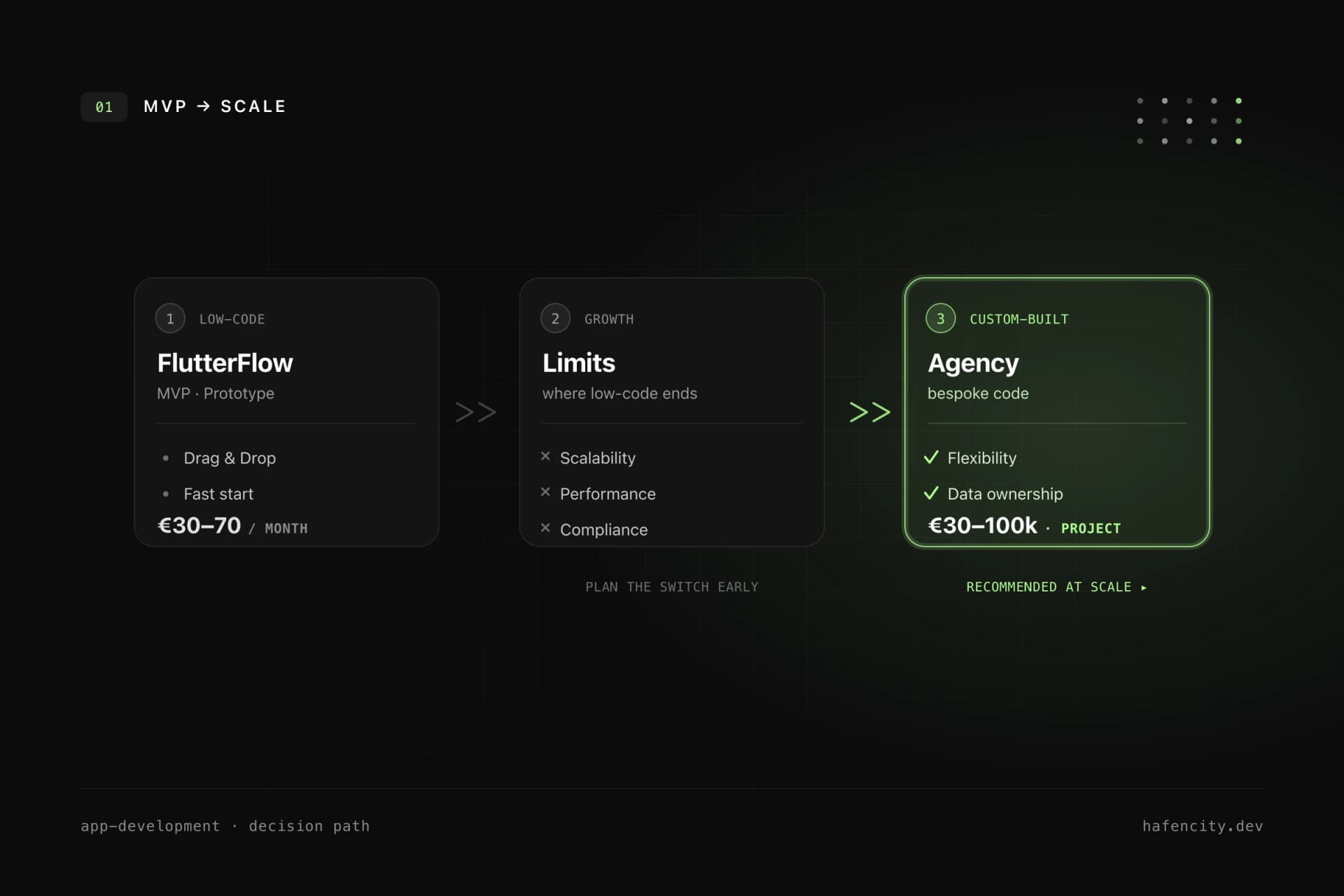
FlutterFlow excels at manageable scope and breaks down as complexity grows. For prototypes, MVPs, internal tools and standard business apps it drastically shortens time-to-market. But as soon as numerous data models, granular roles, complex business logic or performance-critical realtime processing come in, the fine-grained control isn't there, and the generated code isn't always structured the way an experienced team would write it (hands-on review 2026).
Integrations have limits too: not every special SDK plugs in seamlessly, and you stay dependent on the platform's roadmap. Custom Dart code can be injected — which makes the tool viable for more demanding apps — but the more edge cases you build, the closer you get to the point where custom app development is the more honest route. Why Flutter itself is a strong base for that, we covered in the business case for Flutter.
The honest cost calculation
The subscription price isn't the full bill. FlutterFlow charges per seat, but backend usage (Firebase/Supabase) scales with your user count, and the actual work — design, logic, testing — is still done by your team. An agency, by contrast, delivers a defined product at a project price, including architecture, quality assurance and accountability.
| Scenario | FlutterFlow | Custom / Agency |
|---|---|---|
| Prototype / MVP | Basic $39/month, weeks | from ~€20,000, several weeks |
| Standard business app | Growth from $80/seat | €30,000–50,000 |
| Complex / regulated / scaling | hits its limits | €100,000+ |
| Code ownership | exportable from Basic | full control |
| Ongoing operation | subscription + backend usage | maintenance ~€600–3,000/month |
The agency ranges match current DACH market surveys (MVST, Campus IT Consulting, as of 2026). The lesson: a cheap entry says little about total cost at 50,000 users. Calculating early avoids the expensive surprise later — more on that in how much does a Flutter app cost?.
Code ownership, lock-in and compliance
Who owns the app is decided at the code export — and by your regulatory requirements. On the free plan you can't download the Dart code; the project lives entirely in FlutterFlow and is therefore real lock-in. From Basic the exported code is yours, and the project becomes a normal Flutter app any Flutter team can continue (Application & Data Ownership). But the export is not a perfect escape hatch — generated code often needs refactoring on the move.
Then there's the compliance side. Since 28 June 2025 Germany's accessibility law (BFSG) requires accessibility for many B2C apps; violations can cost up to €100,000. Accessibility can be implemented in FlutterFlow too, but it has to be deliberately planned and tested — our BFSG and WCAG checklist helps with that. In heavily regulated industries (healthcare, finance), full control over code, security and data protection is often indispensable — a clear point for custom development.
The pragmatic path: validate first, then scale
The best strategy is rarely "either/or" but a phased model. You validate the idea fast and cheaply with a FlutterFlow MVP, gather real user feedback, and switch to custom development at product-market fit — before technical debt and platform limits slow you down. So the switch isn't a full rebuild, it pays to use code export from Basic onward and set clear architecture rules early.
This threshold is exactly where we accompany teams most often: is FlutterFlow still viable for the next stage, or is now the right moment to rebuild on a clean custom base? That answer rides on your roadmap, not on tool hype.
Next steps
Three questions settle the decision faster than any feature duel:
- Scope: is your product a manageable standard product — or does it carry complex logic, scaling and regulation?
- Phase: are you validating an idea (MVP) or building a long-lived core product?
- Compliance: do BFSG, GDPR or industry-specific requirements apply that demand full control over code and security?
Unsure where your project sits on this spectrum? We make this call in projects regularly — pragmatically and with an eye on roadmap and budget. Take a look at our app development or book an intro call directly.